Apple CarPlay and Android Auto both project a smartphone interface onto a vehicle's infotainment screen, enabling access to navigation, communication, and media applications. The choice between them is primarily dictated by the user's existing smartphone ecosystem, as each system is designed to integrate seamlessly with its respective operating system.
Core functionality and interface design
Both CarPlay and Android Auto offer a streamlined interface designed for in-vehicle use, prioritising large touch targets and simplified menus to minimise driver distraction. Key functions include turn-by-turn navigation, hands-free calling, messaging, and audio streaming from compatible applications. The visual design of CarPlay largely mirrors iOS, with a grid of rounded-square icons and a consistent aesthetic. Android Auto, conversely, adopts design principles from Android, featuring a more customisable home screen with widgets and a notification-centric approach. While both systems support voice commands for most functions, the underlying voice assistant (Siri for CarPlay, Google Assistant for Android Auto) reflects the user's smartphone choice.
The core map data for navigation in CarPlay is typically Apple Maps, though third-party applications like Google Maps and Waze are also supported. Android Auto primarily uses Google Maps, with Waze as a common alternative. Real-time traffic information is integrated into both systems, drawing data from their respective map providers. For a hypothetical journey from Lille, France, to Ghent, Belgium, both systems would offer route planning, estimated travel times, and real-time updates on traffic congestion or road closures. The accuracy and timeliness of this information depend on the underlying map service and cellular data connectivity.
Connectivity and vehicle integration
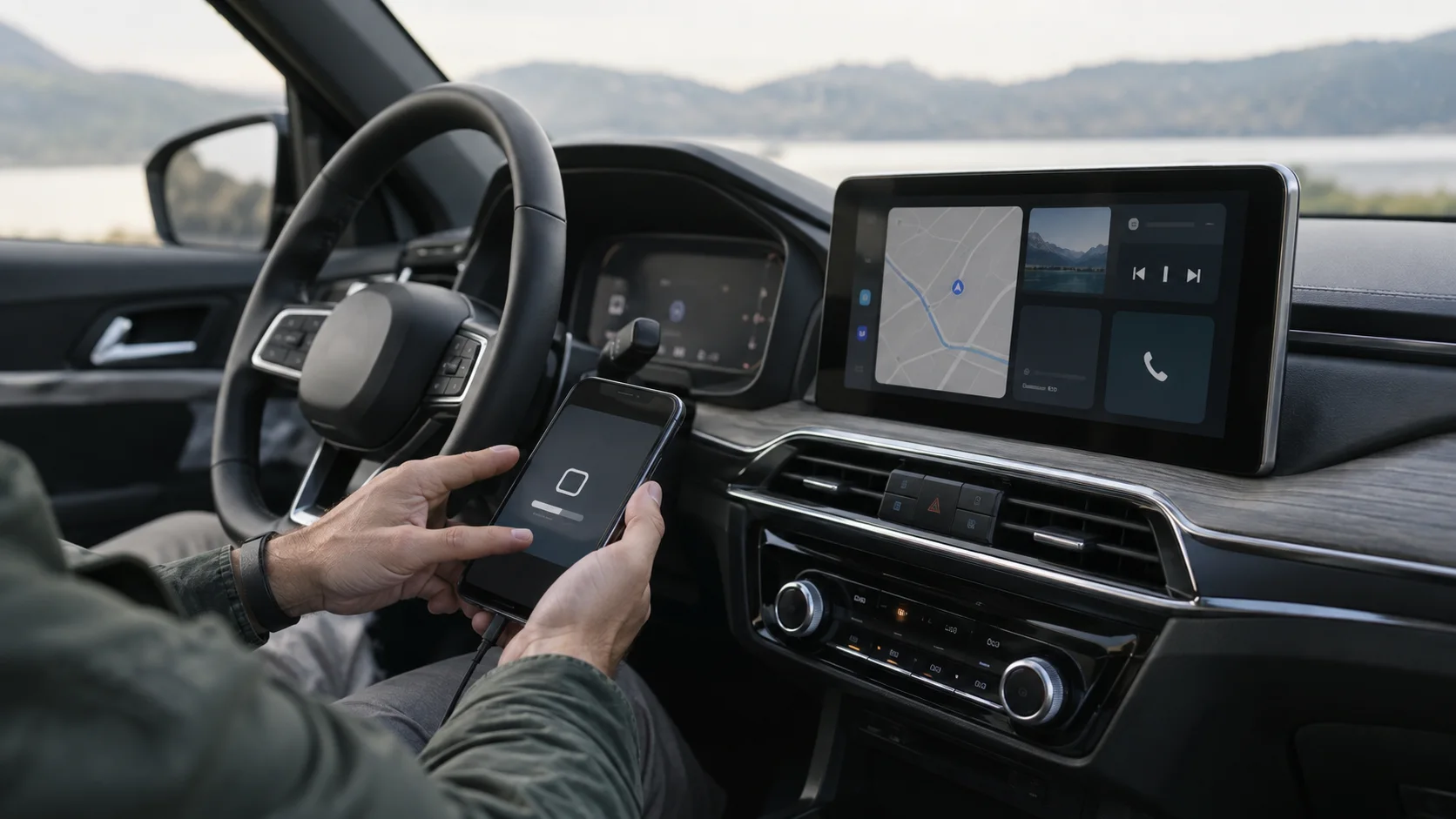
CarPlay and Android Auto can connect to the vehicle's infotainment system either via a USB cable or wirelessly, depending on the vehicle's capabilities. Wireless connectivity, which relies on Wi-Fi and Bluetooth, offers greater convenience by eliminating the need for a physical connection each time the driver enters the vehicle. However, not all vehicles or head units support wireless projection for both systems. Drivers should consult their vehicle's owner's manual or the manufacturer's official specifications to verify wireless compatibility.
Once connected, both systems leverage the vehicle's built-in microphones and speakers for voice commands and calls. They can also integrate with steering wheel controls, allowing drivers to manage audio playback, answer calls, or activate voice assistants without removing their hands from the wheel. The level of integration with vehicle-specific functions, such as climate control or vehicle settings, varies significantly by manufacturer and model. Some vehicles offer deeper integration, allowing control of certain vehicle functions directly through the CarPlay or Android Auto interface, while others maintain these controls exclusively within the vehicle's native infotainment system.
Safety and regulatory considerations
The design of both CarPlay and Android Auto prioritises reducing driver distraction, aligning with regulatory frameworks such as the EU General Safety Regulation (Regulation (EU) 2019/2144) and UNECE Regulation No. 171 on driver-control assistance systems. These regulations aim to enhance road safety by mandating features that minimise driver workload and prevent attention diversion. Both systems achieve this through simplified interfaces, large touch targets, and extensive voice control capabilities.
Euro NCAP's Safety Assist protocols also consider human-machine interface (HMI) design in their assessments, particularly regarding how driver assistance systems are presented and controlled. While CarPlay and Android Auto are not direct safety assist systems, their design principles contribute to a safer driving environment by making essential smartphone functions accessible in a less distracting manner. For instance, the ability to receive and respond to messages via voice commands rather than typing on a phone screen directly supports safer interaction.
It is important to note that neither CarPlay nor Android Auto replaces the vehicle's mandatory safety systems, such as the 112 eCall system, which automatically dials emergency services in the event of a serious accident. The eCall system operates independently of the smartphone projection systems, ensuring critical emergency communication even if the smartphone is not connected or functional.
Application ecosystem and customisation
The range of applications available through CarPlay and Android Auto is extensive, covering navigation, audio streaming, podcasts, and messaging. However, not all smartphone applications are compatible; developers must specifically optimise their apps for in-vehicle use to meet safety guidelines and ensure a simplified interface. Both Apple and Google maintain strict guidelines for app developers to ensure that applications displayed on the vehicle screen are appropriate for driving.
For CarPlay, the available apps are typically a subset of those installed on the iPhone that have been specifically adapted. Users can customise the arrangement of app icons on the CarPlay home screen directly from their iPhone settings. Similarly, Android Auto allows users to select which compatible apps appear on the vehicle display and to rearrange their order. This level of customisation allows drivers to tailor the interface to their most frequently used applications, further reducing the time spent interacting with the screen while driving. The specific apps available may also vary by region due to licensing agreements or local market availability.
Limitations and verification
While both systems offer significant convenience, they are not without limitations. Their functionality is entirely dependent on the connected smartphone's processing power, cellular data connectivity, and battery life. A weak signal can lead to slow map loading or interrupted audio streaming. Furthermore, prolonged use, especially with navigation, can significantly drain the smartphone's battery, making a charging cable or wireless charging pad in the vehicle a practical necessity.
Drivers should verify compatibility and specific features by consulting their vehicle's owner's manual. This document will detail which versions of CarPlay or Android Auto are supported, whether wireless connectivity is available, and any specific operational instructions or limitations. Official manufacturer websites and infotainment system documentation also provide reliable information. It is crucial to distinguish between a vehicle that merely has a USB port and one that explicitly supports CarPlay or Android Auto projection. Some older vehicles may have USB ports for charging or basic media playback but lack the necessary software to project a smartphone interface.
Choosing between CarPlay and Android Auto
The decision between CarPlay and Android Auto is fundamentally tied to the user's existing smartphone. For iPhone users, CarPlay offers a familiar interface and seamless integration with their Apple ecosystem, including Siri and Apple Maps. For Android smartphone users, Android Auto provides the same level of integration with Google services, Google Assistant, and Google Maps.
There are specific scenarios where one might be preferable. An individual deeply invested in the Apple ecosystem, with multiple Apple devices and extensive use of Apple services, will likely find CarPlay a more intuitive and integrated experience. Conversely, a user who relies heavily on Google services for email, calendar, and navigation, or who prefers the customisation options offered by Android, will likely prefer Android Auto. Neither system is inherently superior in terms of safety or core functionality; both are designed to provide a safe and convenient way to access smartphone features while driving. The optimal choice is the one that best aligns with the driver's personal technology ecosystem and preferences.